
Auto-sorted
Orders, invoices and newsletters land separately. Angaro figures this out on your device – your emails are never sent anywhere for it.

The mail client that sorts your inbox for you. Works with any provider – on iPhone, Android, Mac, Windows and in your browser.
Start for free. No new mailbox needed – Angaro works with the one you have.

No switching, no new address: Angaro connects to your mailbox – with any IMAP or POP3 provider, your own domain too.
 Gmail
 Outlook
 iCloud
 Microsoft 365


 WEB.DE
 T-Online
 A1
 World4You
 IONOS

Orders, invoices and newsletters land separately. Angaro figures this out on your device – your emails are never sent anywhere for it.
Drop newsletters without hunting for links: Angaro unsubscribes you directly with the sender.
Asked something and heard nothing back? After two days Angaro reminds you – with “Follow up”.
Swipe instead of pile: done goes to the archive, “Later” brings the email back when you want it.
Events and contacts on every device, synced with the calendars you already use – birthday reminders included. Free.
Contacts, templates and accounts sync encrypted. Our server only sees gibberish.
All your accounts in the browser too – at angaro.io/mail, nothing to install.
Your own domain, Gmail, Outlook, iCloud, GMX – anything that speaks IMAP or POP3.
Next to every sender, Angaro shows a traffic light – green verified, yellow suspicious, red caution – and tells you why in plain words.
The invoice supposedly comes from “Hetzner”, but the address belongs to an unrelated domain and the link goes through redirects? Angaro shows red before you click.
Look-alike domains, fake brand names and emails pretending to be one of your contacts.
A blocklist of known phishing sites, disguised targets and a prompt before a suspicious link opens.
A warning when a sender’s bank details suddenly change – and for programs in attachments.
Checks run on your device. A valid signature alone isn’t enough for green – everything has to add up.
Everything that belongs with your email, in one place. Free, on every device and end-to-end encrypted.
Accept, decline or add events straight from an email – the organizer is notified automatically.
iCloud, GMX, Nextcloud and more with one checkbox when you add the account. Show declined events or hide them – your call.
Address suggestions while writing, add senders with one click and never forget a birthday again. Import birthdays from your phone’s address book with one tap – and send wishes by email, WhatsApp or message.
Export your calendar and contacts as .ics and .vcf any time – for Apple, Google, Outlook and the rest.

Giveaways, online shops, café Wi-Fi: give a Chapar address instead of your real one. The emails still arrive in Angaro – in their own folder, without filling your inbox.
In ancient Persia, messages waited at the Chapar post stations before travelling on. That’s exactly how Chapar works: what annoys you never reaches your home.
Created with one tap. If a company you’ve never heard of suddenly writes to you, you’ll know exactly who passed your address on.
If a sender gets annoying, turn the address off – nothing will ever arrive from there again.
For one-off giveaways: the address expires automatically after 7, 30 or 90 days.
No images or tracking pixels, stored encrypted and deleted automatically after 30 days.
The same calm order on every screen.
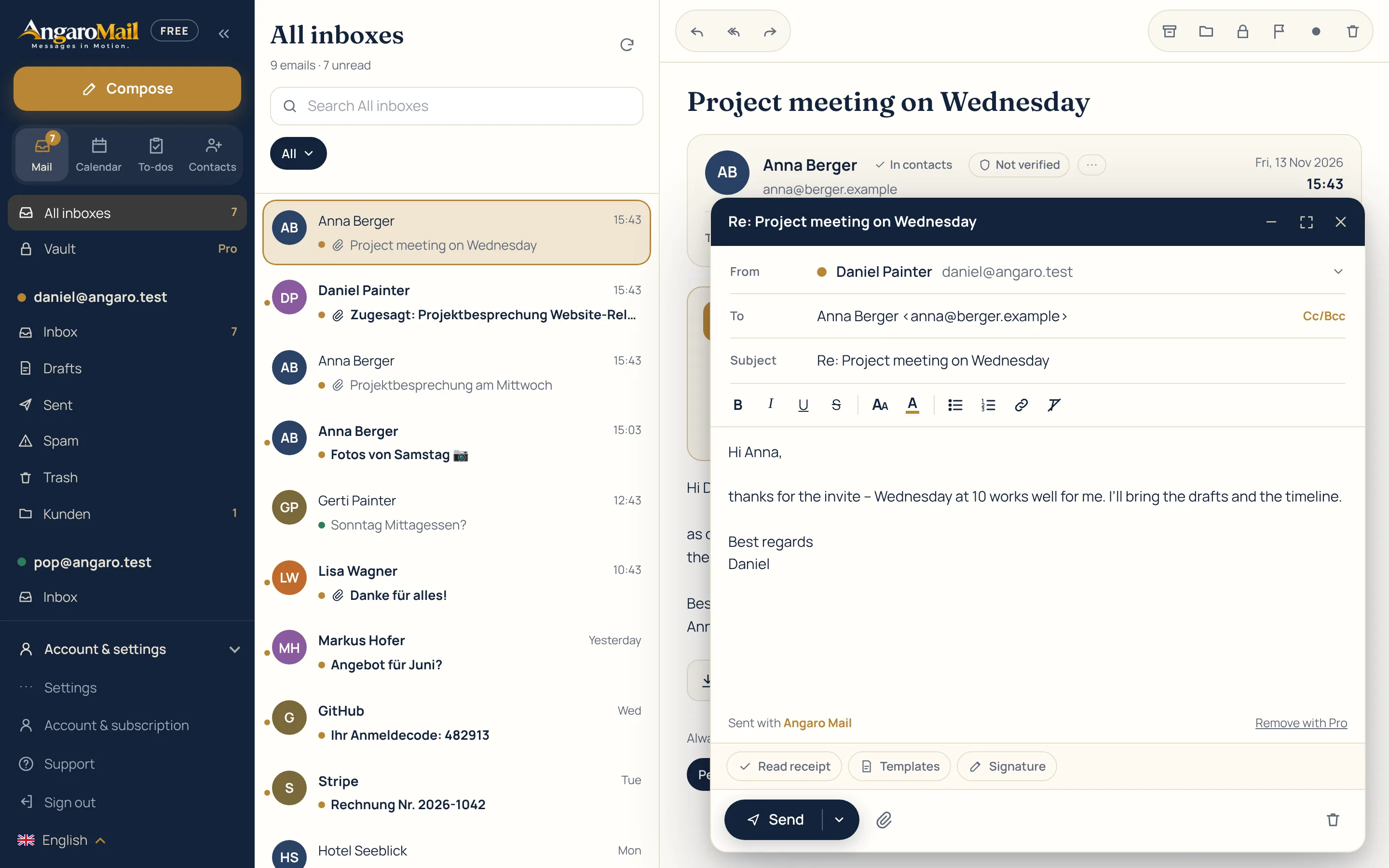


More protection, more calm, more order – tap a picture to see it full size.
Angaro Free stays free. Pro unlocks every extension on all your devices.
Try free for 14 days
The subscription works on every device signed in to your Angaro account and can be cancelled any time.
Start for free. No new mailbox needed – Angaro works with the one you have.

Angaros (ἄγγαρος) – that is what the Greeks called the mounted royal messengers of ancient Persia. Along the Royal Road they passed messages from station to station – fresh horses, no rest – so a letter crossed the empire in seven to nine days. Even Herodotus marvelled at it. That's where the rider in our logo comes from, and our promise: Messages in Motion.
Our AI assistant is called PEYK (پیک) – the Persian name for the courier who carried messages. PEYK summarises emails and suggests replies, but only when you ask.
No. Angaro is a mail app for the addresses you already have – you simply connect them with your IMAP or POP3 login.
The apps talk directly to your mail server. For syncing between devices everything is encrypted on your device before it reaches our server. Only your password knows the key. For push notifications our push service in Germany reads only the sender and subject of new emails and sends them encrypted to your devices – never the email text.
After you sign in, your browser decrypts your accounts. Our server connects to your mail server only for each request and does not store your mail password.
You keep all free features and your data. Pro features are locked once the period ends.
A tracking pixel is an invisible tiny image inside an email. When it loads, the sender learns that and when the message was opened. In emails you receive, Angaro only loads external images when you want it to. Open detection in Angaro Pro does use such an image – but openly: every such email carries a note for the recipient, and our server only stores when it was opened, never an IP address.
Yes. When you add a mail account you can sync its calendar too (CalDAV, e.g. iCloud, GMX, Yahoo, Nextcloud or your own server). Accept invitations from emails with one click, and export your calendar and contacts as .ics and .vcf at any time.
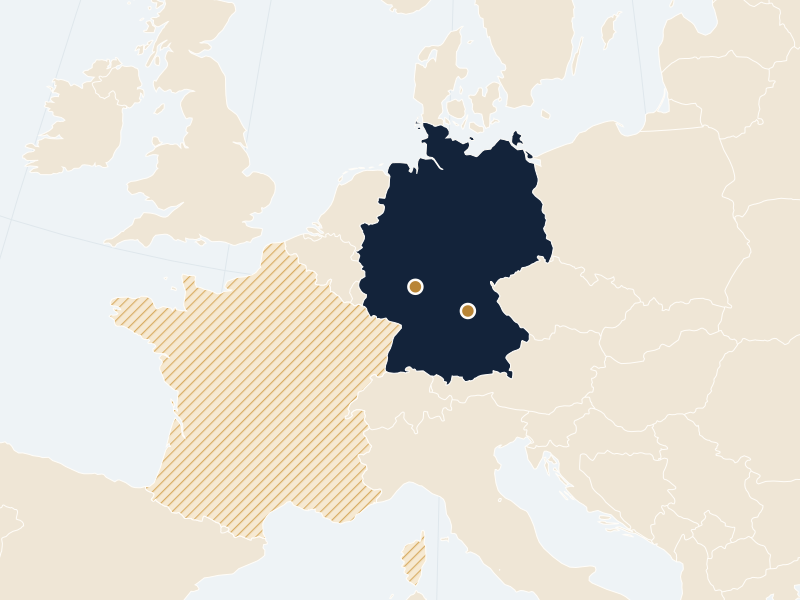
Our Angaro Cloud – which handles sync, webmail and your account – runs in a data centre in Frankfurt am Main. The push service that tells you about new email right away has its own server in Nuremberg. Both are in Germany, and backups are kept in France: your data never leaves the EU. Your contacts, calendar, settings and mail accounts are always end-to-end encrypted.
iPhone, iPad, Mac, Windows and Android – and as webmail in any browser. With your Angaro account, your accounts, contacts, calendar and settings are the same everywhere.
Angaro Free stays free forever – with unlimited mail accounts, calendar, contacts and webmail. Angaro Pro unlocks all extensions, monthly or yearly, and you can cancel any time.
Yes, as many as you like – even in Angaro Free. If you want, you see all inboxes in one combined list, each account in its own colour.
Yes. You unsubscribe from newsletters with one tap. With Angaro Pro you can also block senders – their emails then go to the spam folder – or mute them for an hour, a week or permanently. Both can be undone at any time and apply on all your devices.
Yes. Our push service reports new email right away – even when the app or browser is closed. Only the sender and subject are sent, encrypted for your device. You can switch it on and off per account, and with Angaro Pro set quiet hours too.
Everything we store is deleted – contacts, calendar, settings and credentials. Your emails stay untouched with your mail provider.
13 languages: Deutsch, English, Italiano, Français, Español, Português, Nederlands, Polski, Türkçe, Українська, Čeština, Svenska, Dansk. You can switch the language at any time.
Angaro Mail is developed and run by Daniel Painter in Carinthia, Austria – not a big corporation but a small European offering. You’ll find all details in the legal notice.
Gmail and Outlook are mailbox and app in one – Angaro is just the app and works with any provider, including Gmail and Outlook. Unlike Spark, our servers are in the EU, contacts, calendar and settings sync end-to-end encrypted, and there are no ads. On top come webmail and apps with the same design, 13 languages and PEYK, an AI assistant that only works when you call it.
Angaro is an email app for individuals, freelancers and small teams – not an enterprise product that filters a company’s email centrally. Angaro protects where you read: it blocks tracking pixels and scripts, warns about phishing and shows with Safety Check whether a sender is genuine. It doesn’t replace the spam and virus filters, archiving or central policies of your email provider or IT – it complements them.
Angaro is operated in Austria and is therefore subject to the GDPR. Our servers are exclusively in the EU (Frankfurt, Nuremberg, backups in France), your data in Angaro Cloud is end-to-end encrypted, and we show no ads and sell no data. The only exception: when you call PEYK, that one email is sent to our AI provider Anthropic (USA) – not for training and not stored permanently. Details are in the privacy policy.
Safety Check (Angaro Pro) shows a traffic light next to every sender: green = verified, yellow = suspicious, red = caution. Angaro checks sender authentication (DMARC, SPF, DKIM), whether the name matches the address, links including redirects, and risky attachments such as .exe or .html. Green only appears when everything adds up. If an email still looks suspicious, report it with one tap – the Angaro team reviews the sender and warns all users if needed. It also spots look-alike domains, emails pretending to be one of your contacts, changed bank details and known phishing sites – without Angaro ever seeing your emails or links.
Yes. In webmail, go to Settings to import your existing PGP key or create a new one – and publish it on keys.openpgp.org if you like. The private key is stored only end-to-end encrypted in your Angaro account. Your keys automatically work in the apps on iPhone, iPad, Mac, Windows and Android too.
On our support page you’ll find answers to common questions and what’s new in each version. If nothing fits, write to us there directly – we reply by email.
Yes. Angaro Free is free forever. You can try Angaro Pro free for 14 days: you add a payment method, you’re only charged afterwards, and we remind you by email 3 days before the end. Cancel before and you pay nothing.
For everything Angaro stores itself, yes: contacts, calendar, settings and accounts are encrypted on your device before they reach our server. You can encrypt the emails themselves end-to-end with PGP in webmail and in the apps – that works when the other person uses PGP too. Without PGP, emails are transferred encrypted as everywhere (TLS) but are not end-to-end encrypted at your email provider.
Chapar (Angaro Pro) gives you your own disposable addresses like billa.k7f2@chaparbox.com – for giveaways, online shops or newsletters. Emails to these addresses don’t go to your inbox at your email provider: they’re stored encrypted in the Angaro Cloud and appear in Angaro in the “Chapar” folder, with a subfolder for each address. The sender only ever sees the Chapar address, never your real one. You can turn any address off or let it expire – after that nothing arrives from there. Chapar is receive-only (replying isn’t possible), up to 20 addresses at a time, and emails are deleted automatically after 30 days.